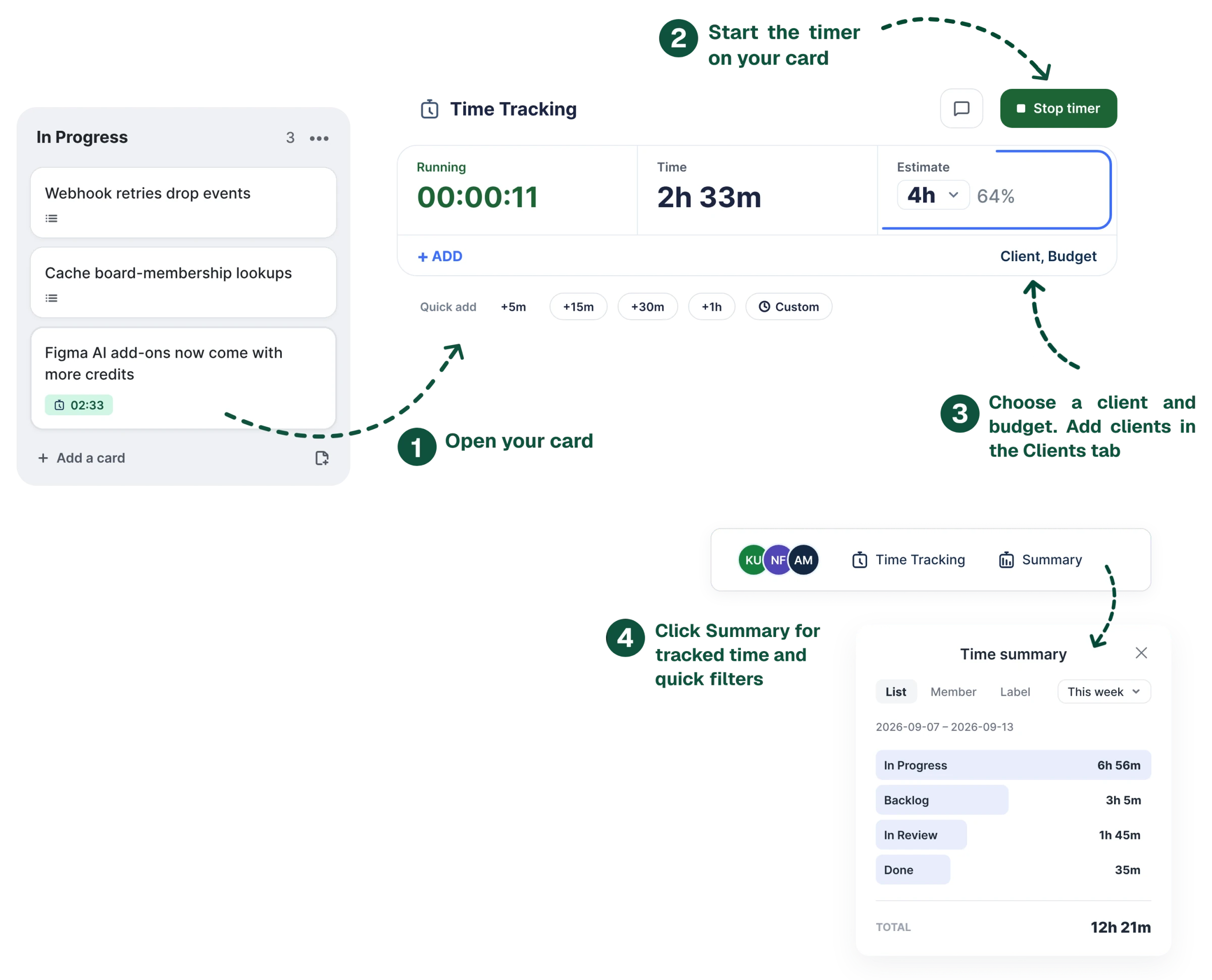
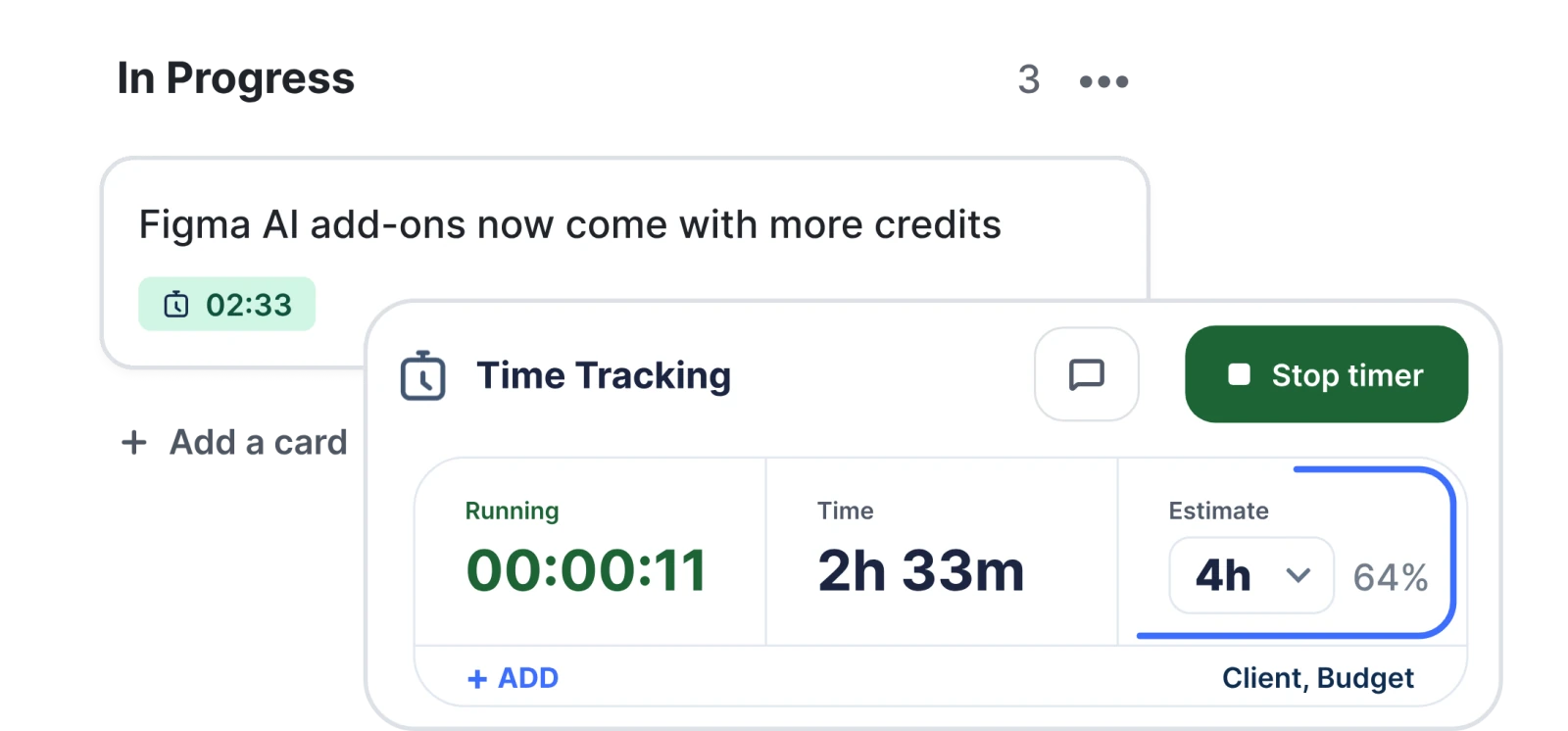
Start the clock on a card and the badge ticks on the board. Report across every board you touch, export it, and pay one flat price for the workspace — not for every seat in it.
Three things happen on a card, two happen across the whole team. Pick one to watch it.
Start it from the card back and the badge on the board front turns green and ticks. Start another anywhere else and the first stops itself and becomes an entry — you can only be doing one thing at a time, so the tracker behaves that way too.
So logging it afterwards is a first-class way to work, not a repair. One click adds 5, 15, 30 or 60 minutes to today; the full form takes any duration, date and comment, and tells you what it understood before you save.
1h 30m, 90m, 1.5 — all the same thingGive a card an estimate and it draws itself around the panel: the border is what’s left, the stroke is what’s gone. Pass it and the ring closes and turns red, and the cell beside it says how far over in hours — on the card and on the board badge, so it’s visible without opening anything.
Pick the boards, pick the period, and read the whole thing in one table — date, time, member, card, estimate, list and comment, sortable on any of them. Fix a wrong number where you find it, without hunting for the card.
A grid instead of a list: one row per person with their week, and their cards underneath. Busiest first, totals down every column, and the arrows step back through previous weeks.
The small things you’d only notice if they were missing.
Left it running overnight? It closes at the limit you set — not at 9am.
Say what you’re working on without stopping the clock. It saves onto the entry.
The card says who is tracking, on this board or any other.
The card lists what everyone logged today, each row carrying a face and a name.
1h 30m, 90m, 1.5 — and it shows you what it read.
Every board you picked added up in one place, not one summary per board.
Pick the separator and how a total reads — 1h 30m, 1.5, or split into columns a spreadsheet can sum.
Learned from your browser. Set the week’s first day and move on.
Most trackers lock the door and keep what’s inside. This one stops new time and nothing else — holding your own records hostage would buy us nothing.
Every board, every member, every feature. Add the tenth person to the team and the price doesn’t move — which is not how time trackers are usually sold.
The fourteen days start the first time someone tracks a minute — not the day you install it. No payment card until you subscribe.
Billing, accuracy, exports — the short answers. Still stuck?
Email supportNeither. One subscription covers a whole Trello workspace: every board in it, and every member, for €9 a month or €90 a year. Adding the tenth person to your team doesn’t change the price. Most time trackers on Trello charge per seat, which is why a small team usually pays several times this for the same job.
No — it starts the first time someone actually tracks a minute. A power-up enabled on a Friday and forgotten would otherwise burn its fourteen days before anyone saw what it does. No payment card is asked for during the trial, and there’s one trial per workspace.
Only new time stops. A timer that’s already running can always be stopped, everything logged so far stays readable in the report and the timesheet, and the CSV export keeps working. Estimates keep working too. Starting a timer and adding entries are the parts that need a plan.
It closes itself. You choose the limit — 4, 8, 12 or 24 hours — and a sweep every fifteen minutes closes anything older, recording that limit rather than the whole night. The entry is labelled auto-stopped, so you can find it and correct it to what you actually worked.
No. Above a minute an entry is kept exactly as measured. Rounding every entry would look tidier and quietly inflate every total, because ninety seconds always rounds up. A click under five seconds is discarded as a mis-click, and anything above that counts as at least a minute.
Yes — that’s the point of the report rather than a per-board summary. Pick any boards you have access to and any period, and you get every entry across them: date, time, member, card, estimate, list and comment, sortable on any column and editable in place. Export the same view as CSV with a separator you choose, so it opens in one column-per-column piece in European Excel.
Yes, and it’s treated as a normal way to work rather than a repair. Quick chips add 5, 15, 30 or 60 minutes to today in one click; the form takes any duration, date and comment. The duration field reads 1h 30m, 1h30m, 90m, 2h, 45s and 1.5 as the same kinds of thing, and shows what it understood before you save. You can edit or delete your own entries afterwards.
Not today. It tracks time, compares it against estimates and reports on it; it doesn’t hold client rates or budgets, and it doesn’t produce invoices. If billing clients straight from the tracker is the job you need done, this isn’t yet the tool for it — better to know that now than after a trial.
A timer on the card, a badge on the board, and one honest table across every project. Set up in about a minute.
Add to Trello14-day free trial · No card to start · €9/month for the whole workspace